

How much RAM do you need in 2026?
How much RAM do you need in 2026? Why 16 GB is the new baseline for laptops and PCs, when 8 GB is still enough, and who should pay for 32 GB or more.
Laptops & PCs · Comparison
SSD vs HDD explained: why an NVMe SSD should be your main drive, when a cheap hard drive still makes sense, and what to check before buying PC storage.
Key takeaways
Put Windows, your apps and your games on an SSD, and choose an NVMe model if your PC supports one. A hard drive (HDD) only earns its place in 2026 as cheap extra space for photos, videos and backups. Here’s how the two compare, which kind of SSD to pick and what to check before you buy.
| NVMe SSD | SATA SSD | Hard drive (HDD) | |
|---|---|---|---|
| How it stores data | Flash memory chips | Flash memory chips | Spinning magnetic platters |
| How it connects | PCIe, usually an M.2 slot | SATA cable, or an M.2 slot that supports SATA | SATA cable |
| Advertised top read speed (example) | Up to 7,450 MB/s (Samsung 990 PRO, PCIe 4.0) | Up to 560 MB/s (Samsung 870 EVO) | 150 to 260 MB/s (WD Blue desktop drives) |
| Noise | Silent | Silent | Audible spinning and clicks |
| Knocks and drops | Tough, no moving parts | Tough, no moving parts | Vulnerable, especially while running |
| Cost per terabyte | Higher than a hard drive | Often close to NVMe | Lowest |
| Best for | System drive, games, video editing | Upgrading older PCs and laptops | Backups, media libraries, home servers |
Those speeds are for large, continuous transfers such as copying a movie. Everyday computing involves thousands of tiny reads scattered across the drive, and there the gap between any SSD and a hard drive is even more noticeable.
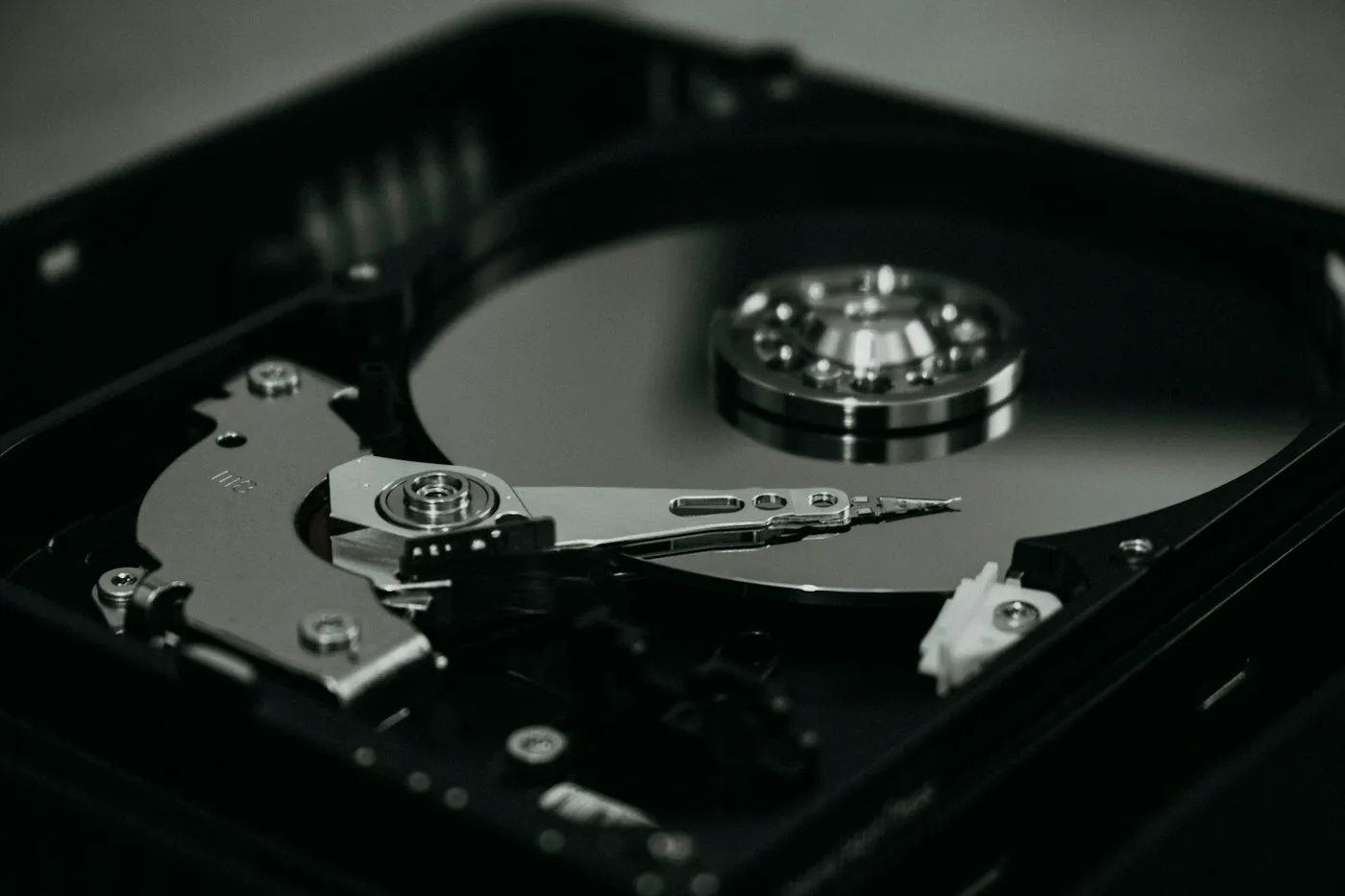
A hard drive stores data magnetically on rigid platters spinning at a fixed speed. Desktop models typically spin at 5,400 to 7,200 revolutions per minute (RPM); Western Digital’s WD Blue desktop line spans that range, with rated transfer speeds of 150 to 260 MB/s depending on the model.
A read-write head on an arm moves across each platter to find your data. Every time the drive jumps between files, the arm has to move and wait for the right spot to spin underneath it. That delay is why starting Windows, installing updates or opening a big app from a hard drive feels sluggish. Moving parts also mean noise, vibration and a real risk of damage if the drive is knocked while it’s running.
A solid-state drive stores data on NAND flash chips, the same basic technology in phones and USB sticks, managed by a small controller chip. It can reach any piece of data almost instantly, so your PC boots faster, apps open quicker and the system stays responsive while updates run in the background. SSDs are also silent, light and shrug off bumps, which is why almost every new laptop uses one.
Every SSD uses flash memory. The big difference is how it connects to the rest of the computer.
SATA is the same connection hard drives use, and it caps speed. Samsung’s 870 EVO, a popular SATA drive, is rated at up to 560 MB/s for reads, which is about as fast as SATA SSDs get. Most come in the 2.5-inch shape of a laptop hard drive and plug into a standard SATA cable, so they fit older desktops and laptops that have a drive bay.
NVMe is a storage standard designed for flash memory. NVM Express, the group that maintains it, describes it as the interface for storage attached over PCI Express, “designed from the ground up to deliver high bandwidth and low latency storage access.” Most NVMe drives are small M.2 sticks that screw directly onto the motherboard.
A PCIe 4.0 drive such as Samsung’s 990 PRO is rated at up to 7,450 MB/s for reads, more than 13 times the SATA ceiling. That makes a dramatic difference for big jobs: copying large video files, moving a 100 GB game between drives or opening huge project files.
For everyday tasks the gain is smaller. Windows and most apps launch only modestly faster from NVMe than from a good SATA SSD, because they depend more on quick small reads than on raw throughput. The jump from a hard drive to any SSD is far bigger than the jump from SATA to NVMe.
Gaming is where NVMe matters more and more. Microsoft’s Windows 11 specifications say the DirectStorage feature, which some games use to load data faster, “requires an NVMe SSD.” Many recent games also list an SSD in their system requirements. If gaming is your main reason to upgrade, our gaming PC vs console guide covers the bigger picture.
PCIe 5.0 SSDs roughly double the top sequential speed of the fastest PCIe 4.0 drives. They also cost more, run hotter and often need a heatsink to avoid slowing down during long transfers. For most people, gamers included, a good PCIe 4.0 drive is the better value as of 2026. PCIe 5.0 mainly pays off if you move very large files every day.
A hard drive is no longer the right choice for the drive your computer starts from, but it is still the cheapest way to store a lot of data.
Keep an external hard drive still while it’s working. A knock or a fall while the platters are spinning is an easy way to damage the drive and lose data.
Make an SSD your main drive, and choose NVMe if your PC has an M.2 slot that supports it. A PCIe 4.0 model gives most people the best balance of speed, price and heat, while PCIe 5.0 is for those who shift huge files daily. Add a hard drive when you need lots of cheap space for backups or media, not for speed. For unfamiliar terms, check our tech glossary, and find more plain-English guides on RedAndWhiteMagz.com.
Yes. PCIe is backward compatible, so a PCIe 5.0 NVMe drive works in a PCIe 4.0 M.2 slot but runs at PCIe 4.0 speeds. Make sure the slot supports NVMe rather than SATA only, and that there is room for the drive's heatsink.
Most SSDs outlast the PC they go into under normal use. Makers rate endurance in terabytes written (TBW), and Samsung, for example, rates its 870 EVO SATA drives at up to 4,800 TBW on the largest model, with a five-year limited warranty. Everyday browsing, office work and gaming write far less than these ratings allow.
Usually, yes. It is often the single biggest speed-up an older laptop can get, especially for startup times and general responsiveness. Most older laptops take a 2.5-inch SATA SSD, and you can copy your existing system across with the cloning software many SSD makers offer.
Yes, portable SSDs are usually several times faster and much tougher, because they have no moving parts. Their real speed depends on the USB port and cable, so match the drive's rated connection to a port on your computer. Portable hard drives remain the cheaper option for large backups.
First published . Spotted an error? Read our editorial policy and tell us.
How much RAM do you need in 2026? Why 16 GB is the new baseline for laptops and PCs, when 8 GB is still enough, and who should pay for 32 GB or more.

How to choose a laptop in 2026: which processor, RAM, storage, screen and battery specs matter, what to skip, and the right setup for your budget and use.

How to speed up a slow laptop on Windows or Mac: nine fixes that work, from startup apps and storage to power mode, malware scans, resets and upgrades.
Contact RedAndWhiteMagz.com
Spotted a new gadget, a scam making the rounds or a mistake in one of our guides? Tell us. We read every message and reply as quickly as we can.
