


Game controllers explained: Hall effect sticks, polling rate and compatibility
Game controllers explained: how Hall effect and TMR sticks resist drift, what polling rate means, and which pads work with PC, PS5, Xbox and Switch 2.
Gaming · Buying guide
Our handheld gaming PC buying guide explains SteamOS vs Windows, chips, OLED screens, battery life, storage, docking and game compatibility before you buy.
Key takeaways
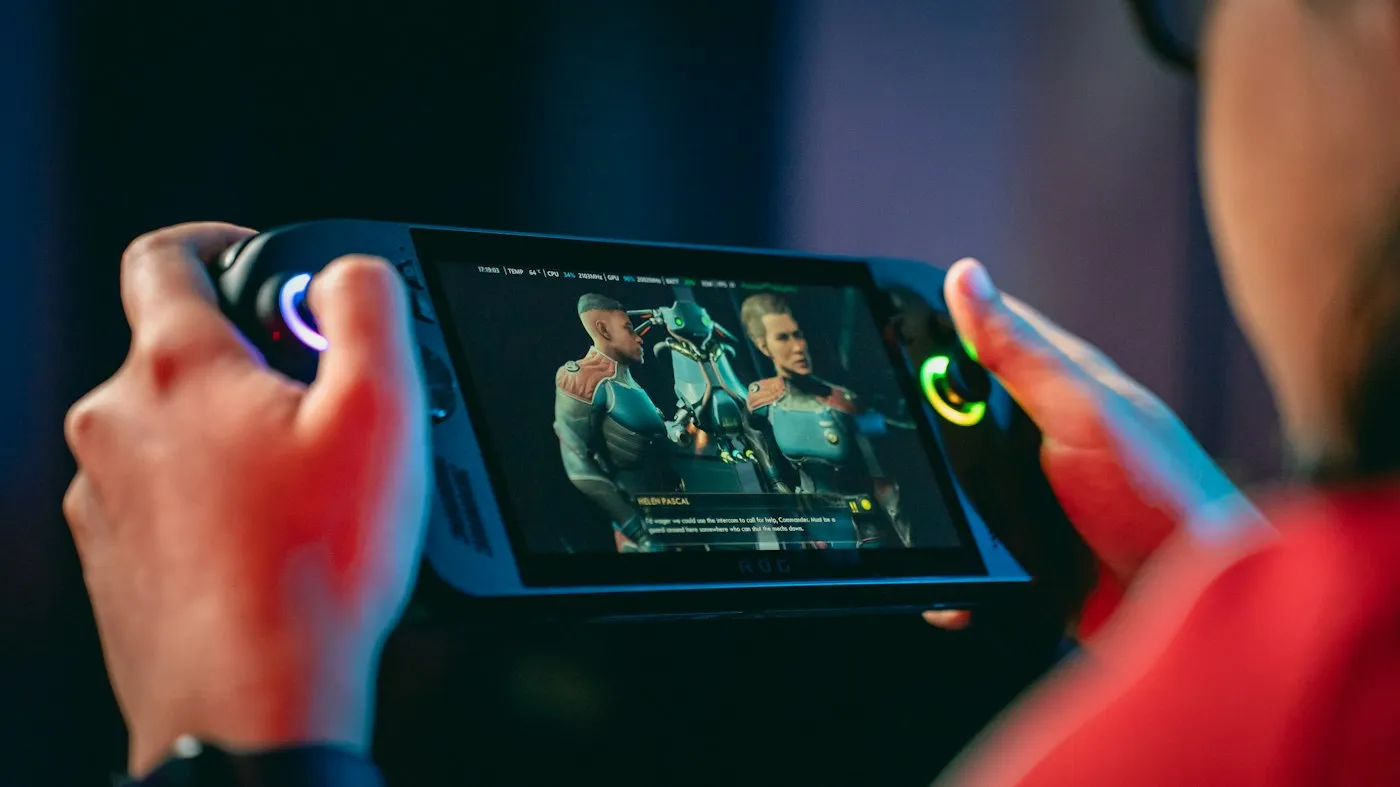
The right handheld gaming PC is the one that runs the games you already own, from the stores you use, for as long as you want to play away from a charger. As of 2026, SteamOS handhelds such as the Steam Deck OLED are the simplest pick for a Steam library, while Windows 11 models from ASUS, Lenovo and MSI run almost any PC launcher but take a little more setup. Here is what to check before you buy.
The operating system shapes everyday use more than any single spec, so decide on it before you compare hardware.
Here is how some current models compare, based on each maker’s spec pages:
| Handheld | Software | Screen | Battery |
|---|---|---|---|
| Steam Deck OLED | SteamOS | 7.4-inch 1280 x 800 OLED, up to 90Hz | 50Wh |
| ASUS ROG Xbox Ally | Windows 11 | 7-inch 1080p IPS-level, 120Hz | 60Wh |
| ASUS ROG Xbox Ally X | Windows 11 | 7-inch 1080p IPS-level, 120Hz | 80Wh |
| Lenovo Legion Go S | Windows 11 or SteamOS | 8-inch 1920 x 1200, 120Hz | 55.5Wh |
| Lenovo Legion Go 2 | Windows 11 or SteamOS | 8.8-inch 1920 x 1200 OLED, 144Hz | 74Wh |
| MSI Claw A8 | Windows 11 | 8-inch 1920 x 1200 IPS-level, 120Hz | 80Wh |
Valve’s tech specs page now lists only the OLED Steam Deck, in 512GB and 1TB versions. Still choosing between a handheld and a console? See our gaming PC vs console guide.
Valve reviews Steam games and shows a compatibility rating in the store and in your library:
Valve’s Steamworks documentation says there is one rating for Steam Deck, one for Steam Machine and one for all other compatible SteamOS devices, so check the one for your device.
The same documentation notes that some anti-cheat providers are unsupported. As of September 2026, Steam lists Apex Legends, Destiny 2 and PUBG: Battlegrounds as Unsupported on Steam Deck for anti-cheat reasons. If you play one of those, a Windows handheld is the safer buy.
Valve’s FAQ says you can run non-Steam games through Proton, but other stores’ launchers aren’t built in, so setup takes more work and results vary. Microsoft lists Steam Deck support for Xbox Cloud Gaming as a beta whose setup needs desktop mode and the Microsoft Edge browser. On Windows, other stores install as usual.
Most handhelds use AMD chips, and MSI also sells Intel models. This is how the main options line up, according to AMD, Valve, Intel and the device makers:
| Chip | Example handhelds | CPU | Graphics |
|---|---|---|---|
| Valve custom AMD chip | Steam Deck OLED | 4 Zen 2 cores | 8 RDNA 2 compute units |
| AMD Ryzen Z2 A | ROG Xbox Ally | 4 Zen 2 cores | 8 RDNA 2 compute units |
| AMD Ryzen Z2 Go | Some Legion Go S models | 4 Zen 3+ cores | 12 RDNA 2 compute units |
| AMD Ryzen Z2 Extreme or AI Z2 Extreme | ROG Xbox Ally X, Legion Go 2, MSI Claw A8 | 8 Zen 5 cores | 16 RDNA 3.5 compute units |
| Intel Arc G3 series | MSI Claw 8 EX AI+ | Up to 14 cores | Xe3 graphics |
The chip name is only part of the story:
Battery capacity, measured in watt-hours (Wh), is a rough guide, but what you play and how you set it up matter too. Valve quotes 3 to 12 hours for the Steam Deck OLED’s 50Wh battery, depending on the game, which shows how wide the range can be. To stretch a charge:
Internal SSDs on current models range from 512GB to 2TB, and some big-budget games need well over 100GB. Check two things:
Most handhelds send video over USB-C. Valve lists DisplayPort over USB-C at up to 4K 120Hz or 8K 60Hz on the Steam Deck. ASUS lists DisplayPort support on the Ally’s USB-C ports and USB4 with DisplayPort 1.4 on the Ally X, and Lenovo fits USB4 ports on the top and bottom of the Legion Go 2.
A dock or USB-C hub adds HDMI, USB-A ports, Ethernet and pass-through charging. Check the HDMI version, since HDMI 2.0 tops out at 4K 60Hz.
Docking doesn’t add power. Valve says docking the Steam Deck is more like plugging a USB-C hub into a PC, and that it runs at full performance in portable mode. Handheld chips struggle with 4K in demanding games, so set a lower resolution and let upscaling fill the screen. For couch play, pair a Bluetooth controller; see our game controllers guide.
If you can, hold one in a store first, since grip shape and balance are hard to judge from a spec sheet.
Start with your games, not the chip. If most of your library is on Steam and you want to press a button and play, a SteamOS handheld such as the Steam Deck OLED is the easiest choice, as long as anti-cheat doesn’t block your online games. If you rely on Game Pass PC downloads, other launchers or those blocked games, choose Windows 11 and use Xbox mode where it’s available. Then balance screen, battery and weight, and check storage and USB-C video before you pay.
For more help, browse our gaming coverage and buying guides, or find more practical buying advice on RedAndWhiteMagz.com.
Not as installed PC games in the usual way, because SteamOS doesn't include the Xbox PC app. Microsoft lists Steam Deck support for Xbox Cloud Gaming as a beta that runs in the Microsoft Edge browser, which you set up from desktop mode, and you need a Game Pass plan that includes cloud gaming. A Windows handheld such as the ROG Xbox Ally runs the Xbox PC app directly.
If your budget allows, it's the most visible upgrade. OLED gives true blacks and stronger HDR, and Valve rates the Steam Deck OLED at up to 1,000 nits peak brightness in HDR. LCDs cost less and carry no burn-in risk, which matters if you leave static menus on screen for long periods.
Not the Steam Deck: Valve says it runs at full performance in portable mode, and docking works much like adding a USB-C hub. Some Windows handhelds may offer a higher power mode on wall power, but the chip stays the same. On a 4K TV, expect to lower the resolution in demanding games.
Match the card to the slot. The Steam Deck uses UHS-I, while ASUS lists UHS-II readers on the ROG Xbox Ally models, and a UHS-II card only runs faster in a UHS-II slot. Buy a reputable brand in a size that fits your library, and expect somewhat longer loading than from the internal SSD.
First published . Spotted an error? Read our editorial policy and tell us.
Game controllers explained: how Hall effect and TMR sticks resist drift, what polling rate means, and which pads work with PC, PS5, Xbox and Switch 2.
Our gaming monitor buying guide explains resolution, refresh rate, response time, panel types, HDR and ports so you can match a screen to your PC or console.

Gaming PC vs console in 2026: how PS5, PS5 Pro, Xbox Series X|S, Switch 2 and a gaming PC compare on cost, games, graphics, subscriptions and upgrades.
Contact RedAndWhiteMagz.com
Spotted a new gadget, a scam making the rounds or a mistake in one of our guides? Tell us. We read every message and reply as quickly as we can.
